What Is Endpoint Security and Why Do Companies Need It?
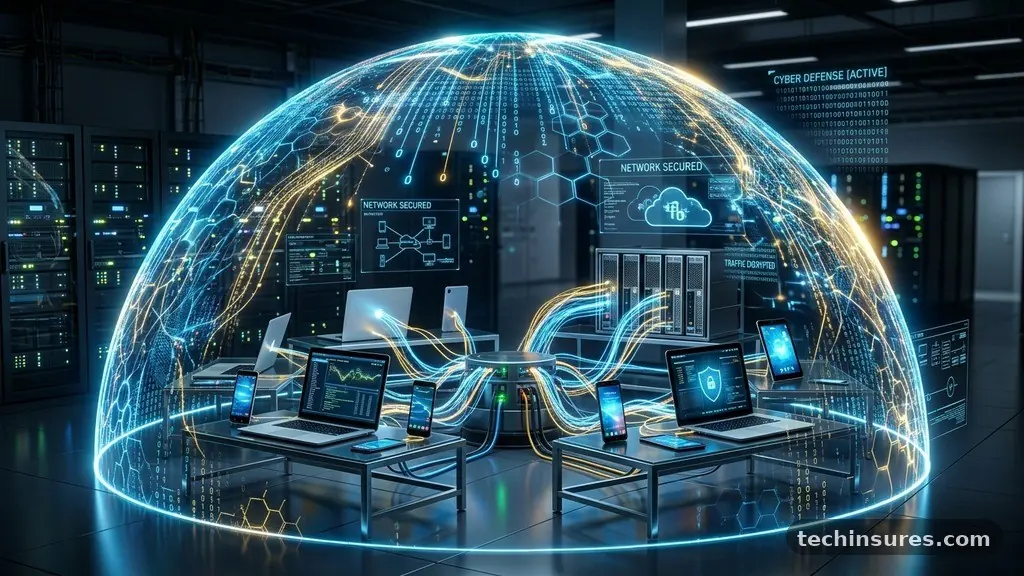
Endpoint security is the practice of protecting the various devices that connect to a business network from malicious activity. By securing individual points of access, organizations create a shield around their sensitive data that prevents unauthorized intrusion.
Understanding what endpoint security is and why do companies need it remains a critical priority for modern IT teams facing sophisticated digital risks. This article explores how these defense layers function and why they are essential for long-term operational stability.
Defining the Perimeter of Modern Endpoint Security
At its core, endpoint security refers to the strategies and software tools used to protect devices such as laptops, desktops, mobile phones, and servers. These devices act as gateways to a company’s internal network.
When a user connects a device to a corporate system, they effectively extend the network’s perimeter. If that specific piece of hardware is compromised, the entire organization faces a direct path for data exfiltration or malware spread.
Unlike traditional antivirus software, which often focused on scanning single files for known viruses, modern endpoint protection provides a centralized management console. This allows IT administrators to monitor the health of all connected hardware from one location.
They can push updates, isolate infected machines, and enforce security policies across thousands of devices simultaneously. This shift from reactive scanning to proactive management is what defines the current landscape of digital defense.
The evolution of remote work has changed the definition of an endpoint entirely. With employees accessing cloud-based applications from home offices or public cafes, the traditional office firewall is no longer sufficient. Every remote laptop is now an entry point that demands its own local security posture.
Companies must move away from the assumption that the office network is inherently safe. Instead, they must treat every device as a potential target that requires constant vigilance and automated defense mechanisms.
The Core Mechanics of Threat Detection
Modern tools rely on a combination of signature-based detection and behavioral analysis to stop incoming attacks. Signature-based detection works by comparing files against a database of known threats. If a file matches a known malicious signature, the software blocks it instantly.
This method is highly effective for stopping common, well-documented malware that has been circulating for years. It is fast, efficient, and requires minimal processing power for most standard tasks.
Behavioral analysis adds a crucial layer of intelligence to this process. Instead of looking for known files, it monitors the actions taken by applications on the device. For example, if a standard word processor suddenly tries to encrypt all documents on a hard drive, the security software recognizes this as ransomware behavior.
It stops the process immediately, even if the ransomware strain is brand new and has no known signature. This proactive stance is essential for defending against modern zero-day exploits.
These solutions also utilize machine learning to refine their detection capabilities over time. By analyzing vast amounts of data across different networks, the software learns to identify subtle patterns of suspicious activity.
It can distinguish between a user performing a legitimate administrative task and a hacker attempting to escalate privileges. This reduces the number of false positives, ensuring that security alerts represent real risks rather than harmless system fluctuations.
Why Companies Need Stronger Protection Today
The primary reason companies need robust endpoint security is the sheer volume and sophistication of modern cyber threats. Attackers are no longer just hobbyists; they are often well-funded criminal syndicates.
These groups automate their scanning processes to look for unpatched vulnerabilities in devices connected to the internet. If an employee connects a device without the latest security patches, an attacker can exploit the gap in seconds.
Data breaches are also becoming significantly more expensive for organizations of all sizes. According to data provided by the IBM Cost of a Data Breach Report, the global average cost of a breach reached record highs in recent years.
These costs include legal fees, regulatory fines, and the long-term impact on brand reputation. Investing in endpoint protection is a cost-effective insurance policy compared to the potential loss of customer trust and revenue during a major incident.
Furthermore, the complexity of modern business workflows makes manual security impossible. Organizations often manage a fleet of devices running different operating systems, including Windows, macOS, and Linux.
A unified platform allows security teams to enforce consistent policies across these diverse environments. Without centralized control, security gaps inevitably emerge, leaving parts of the organization exposed to lateral movement by intruders who have already breached the initial perimeter.
Differentiating Between EDR and Standard Antivirus
Many users confuse traditional antivirus with modern Endpoint Detection and Response (EDR) platforms. While both are critical, they serve different functions in a defense strategy.
Traditional antivirus is designed to prevent threats from entering the system in the first place. It acts as a gatekeeper, inspecting incoming files and blocking those that appear malicious based on existing lists.
EDR, by contrast, operates on the assumption that a breach might eventually occur. It focuses on visibility and remediation by recording system activities and providing detailed logs to security teams.
If an attacker manages to bypass the initial antivirus layer, EDR allows the team to trace the intruder’s steps. They can see which files were accessed, which network connections were made, and how the threat attempted to move through the environment.
This deep visibility is vital for incident response and forensic analysis. When a breach is discovered, the priority is to contain the threat and prevent further damage. EDR tools allow administrators to isolate an infected device from the network with a single click.
This prevents the infection from spreading to other machines while the team cleans the system. The following table highlights the functional differences between these two approaches.
| Feature | Traditional Antivirus | Endpoint Detection & Response (EDR) |
|---|---|---|
| Primary Goal | Prevention of known threats | Detection, investigation, and response |
| Detection Method | Signature-based matching | Behavioral analytics and telemetry |
| Visibility | Limited to blocked threats | Full activity logs and history |
| Response | Delete or quarantine files | Isolate hosts and remote remediation |
Managing Risks in a BYOD Environment
Bring Your Own Device (BYOD) policies have introduced significant complexities to corporate security. Employees want the flexibility to use their personal phones and laptops for work, but this creates a massive blind spot for IT departments.
A personal device may have outdated software, insecure apps, or even existing malware. When that device connects to corporate email or internal servers, it carries those risks into the business environment.
To manage this, companies implement Mobile Device Management (MDM) or Unified Endpoint Management (UEM) solutions. These tools allow the business to create a “container” on the device that separates corporate data from personal data.
The IT department can secure, wipe, or update the corporate container without touching the user’s personal photos or private messages. This balance is essential for maintaining employee privacy while protecting company assets.
Education also plays a major role in securing these endpoints. Even the most advanced software cannot prevent a user from clicking on a sophisticated phishing link.
Employees must understand the importance of keeping their devices updated and reporting suspicious activity immediately. When staff members are treated as an active part of the security team, the entire organization becomes more resilient against social engineering attacks.
The Role of Automation in Security Operations
Automation has become a necessity for modern security teams who are often overwhelmed by the sheer number of alerts. A single network can generate thousands of security logs every hour.
Attempting to review these manually is impossible and leads to “alert fatigue,” where critical warnings are ignored because they are buried in a sea of noise. Automated systems filter these logs to highlight only the most significant threats.
These systems can also perform automated remediation tasks. If a device shows signs of a common malware infection, the security platform can automatically quarantine the file and run a scan without human intervention.
This saves valuable time for security analysts, allowing them to focus on high-level strategy and complex threat hunting. The faster a system can react, the smaller the window of opportunity for an attacker.
Furthermore, automation ensures that security policies are applied consistently across all endpoints. Human error is a leading cause of security lapses, such as forgetting to update a specific patch or misconfiguring a firewall rule.
By automating the deployment of these configurations, organizations ensure that every device meets the required security standard. This consistency is the foundation of a secure, scalable network architecture.
Common Questions About Endpoint Security
What is the main purpose of endpoint security?
The main purpose is to protect individual devices from malicious threats and unauthorized access. By securing every laptop, server, and mobile device, companies ensure that hackers cannot use these entry points to infiltrate the broader corporate network or steal sensitive data.
Do I need endpoint protection if I already have a firewall?
Yes, a firewall is not enough. While a firewall monitors traffic entering and leaving the network, it cannot protect against threats that are already inside or that bypass the network, such as a malicious file downloaded on a remote laptop. Endpoint protection provides the necessary defense directly on the device itself.
What are some examples of common endpoints?
Endpoints include any device that connects to your network. Common examples are desktop computers, laptops, smartphones, tablets, servers, and even Internet of Things (IoT) devices like smart printers or surveillance cameras.
How does an endpoint get infected?
Endpoints are typically infected through phishing emails, malicious website downloads, or vulnerabilities in unpatched software. Once a user executes a malicious file or visits a compromised site, the malware can install itself on the device and attempt to spread to other connected systems.
Is endpoint security only for large enterprises?
No, smaller businesses are often primary targets because they tend to have less sophisticated defenses. Hackers know that smaller companies may lack the resources for a dedicated security team, making them easier marks for ransomware and data theft.
Securing the Future of Business Operations
The digital landscape continues to evolve, bringing new challenges that require constant adaptation. Protecting the endpoints within an organization is not a one-time project but a continuous process of monitoring, updating, and refining security postures.
By understanding what endpoint security is and why do companies need it, leaders can make informed decisions about their infrastructure. These investments do more than just stop malware; they build a foundation of trust with clients and partners who rely on the safety of your systems.
Start by auditing the number of devices currently accessing your network and ensuring that each one is managed under a unified policy. Prioritize the transition to modern detection tools that offer real-time visibility into system behavior. As you build your defense, keep the focus on proactive management rather than passive prevention.
This approach will ensure that your business remains resilient in the face of an ever-changing threat environment. Please feel free to reach out to your IT department or a security professional to discuss the best path forward for your specific organization.