
What is computer vision? Computer vision is the field of artificial intelligence that lets machines see, understand and act on images and video. It is the technology behind your phone unlocking when it sees your face, your photo app finding every picture of your dog, and a self-driving car knowing where the road ends and a pedestrian begins. In simple terms, computer vision gives computers a version of eyesight, and then teaches them what to do with what they see.
You already use computer vision every day, even if you have never heard the name. In this guide, we will answer the question of what is computer vision in plain English, explain how it works step by step, show where it is used, what it still gets wrong, and what it means for your privacy. You do not need any maths or programming knowledge to follow along.
How Computer Vision Works, Step by Step
To a computer, a photo is not a scene. It is a grid of numbers. Each tiny square, called a pixel, has a value for how red, green and blue it is. A photo that looks like a cat to you looks like millions of numbers to a computer. Computer vision is the set of methods that turns those numbers into meaning, such as this is a cat, that is a road, and this is a face.
Most computer vision systems follow the same four steps. First, they capture an image with a camera or load a photo from a file. Second, they clean up the image, adjusting brightness, removing noise and resizing it so the system can work with it quickly. Third, they look for features, which are patterns such as edges, corners, textures and shapes. A curve here and a pair of dark spots there might suggest an eye, for example. Fourth, they compare those features with what they have learned and produce an answer, such as a label, a box around an object, or a decision to act.
Modern systems do this with deep learning, especially a type of model called a convolutional neural network. These models learn their own features by studying millions of labelled examples. Instead of a programmer writing rules for what a cat looks like, the model sees thousands of cat photos and works out the patterns itself. If you want the background on the learning side, our beginner guide to machine learning explains how models learn from data in plain English.
The Five Main Jobs of Computer Vision
Computer vision sounds like one thing, but it is really several jobs that are often combined. Knowing the difference helps you understand what a product is actually doing when it claims to use AI vision.
Image classification. This answers the question: what is in this picture? The system gives the whole image one or more labels, such as dog, beach or birthday cake. Your photo app uses this when you search for beach and it finds your holiday photos.
Object detection. This goes further. It finds each object in an image and draws a box around it, with a label for each one. A security camera might detect three people and one car. A warehouse robot uses object detection to find boxes on a shelf.
Image segmentation. This divides an image into regions, pixel by pixel. It can separate a person from the background, which is how your phone blurs the background in portrait mode. It is also used in medical scans to outline a tumour or an organ.
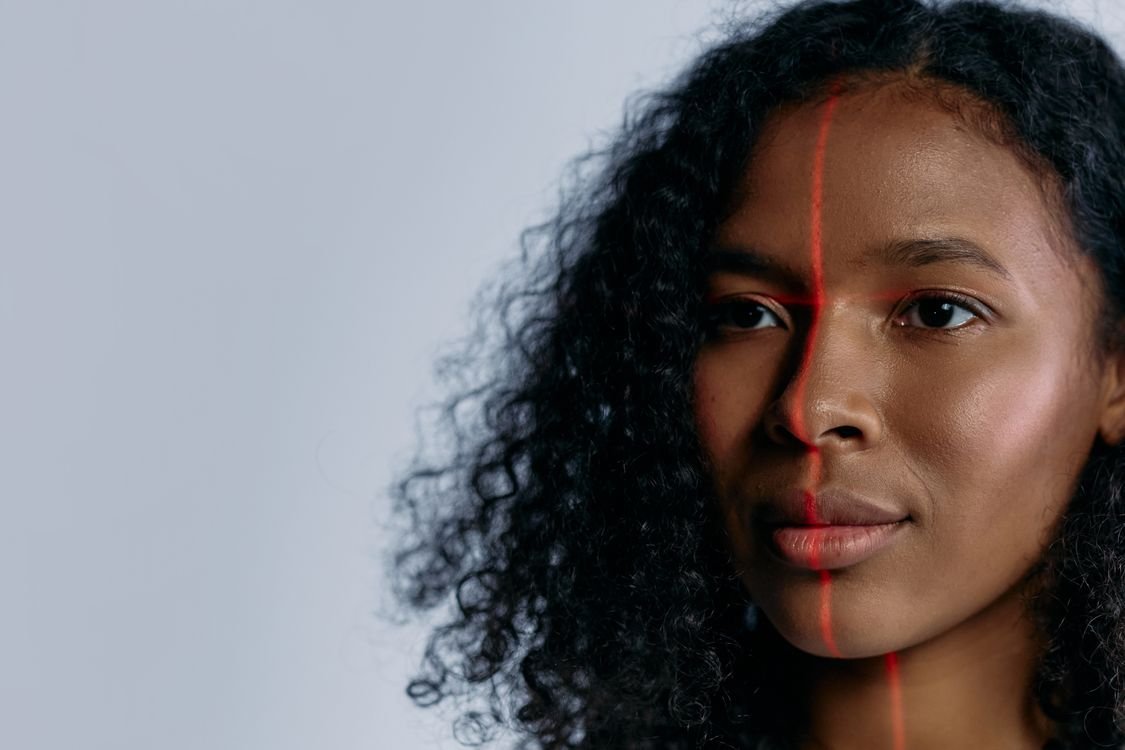
Face recognition. This finds faces, measures the distances between features such as the eyes, nose and jaw, and compares that pattern with a stored one. Your phone uses it to unlock, and airports use it to check passports. It is the most powerful and the most controversial use of computer vision, and we will come back to that below.
Text recognition. Also called OCR, this reads text inside images, from road signs to handwritten notes to the number plate on a car. Your phone uses it when you point the camera at a menu in another language and see a translation.
Where You Already Use Computer Vision
Computer vision is already woven into everyday life. On your phone, it unlocks the device, organises your photos, adds filters to your face in a video call, and lets you scan a document by taking a picture. Online, it checks that you are a real person, sorts products by image, and helps shops recommend similar items. In your car, if you have a modern one, computer vision in the reversing camera and driver assistance system watches for lane markings, other cars and pedestrians.
In healthcare, computer vision helps doctors spot signs of disease in X-rays, scans and microscope images, sometimes catching things that are hard for a human eye to see. It does not replace the doctor, but it gives the doctor a second opinion that never gets tired. In shops, it powers checkout-free stores, where cameras track what you pick up. On farms, it inspects crops and counts fruit. In factories, it checks products for defects far faster than a person can, and it never blinks.
Even social media uses it constantly. When a platform suggests a tag for a friend in your photo, that is face recognition. When it blurs a sensitive image, that is image classification. The technology behind these features is described in more depth in our guide to generative AI, which explains how AI creates and edits images as well as understanding them.
How Does Computer Vision Learn?
A computer vision model learns the same way a student learns from flashcards, only with far more cards. It is shown a huge set of labelled images, such as photos marked cat or dog, and it adjusts its internal settings until its guesses are usually right. Those settings are numbers called weights, and training is the slow process of tuning millions of them. The most common training data comes from data sets with millions of images, collected and labelled by researchers.
Training a good model takes a lot of computing power and a lot of data. That is why most of the models you use were trained by large companies and universities, not on your phone. Your phone usually runs a smaller, already trained model that can recognise things quickly without an internet connection. This is called inference, and it is much cheaper than training.
One problem is that a model only knows what it has been shown. If it was trained mostly on photos of light-skinned faces, it may work worse on darker faces. If it was trained on sunny road photos, it may struggle in snow. This is called bias, and it is one of the most serious issues in computer vision. Good teams now test their models on many different groups of people and in many conditions, but the problem has not gone away.
What Computer Vision Still Gets Wrong
For all its success, computer vision is fragile in ways that surprise people. A tiny change to an image, invisible to a human, can make a model call a turtle a rifle. This is called an adversarial attack, and it shows that models often rely on patterns that mean nothing to us. They can also be confused by things that are easy for people, such as a dog wearing a funny hat, a road sign covered in stickers, or a photo taken from an unusual angle.
Context is another weakness. A model can label every object in a kitchen photo, but it may not understand that the cake is for a birthday, or that the person is reaching for a glass because they are thirsty. Humans understand scenes through experience and common sense, and computer vision does not have that yet. That is why self-driving cars still need human supervision in difficult situations, and why a model that writes a caption for a photo can produce a description that is technically correct but misses the point entirely.
It is also worth remembering that computer vision that looks impressive in a demonstration may not work as well in the real world. Lighting, camera quality, weather, motion and clutter all make the job harder. A system tested in a lab can fail in a busy shop or a rainy street, so engineers now test in real places, not just on clean data sets.
Computer Vision and Your Privacy
The biggest question about computer vision is not technical. It is about privacy. Cameras are everywhere, and a computer vision system can watch thousands of cameras at once, remember faces, count people, and track where they go. Used by a shop to count visitors, that is harmless. Used by a government to track everyone in a city, that is a serious concern.
To protect yourself, check which apps on your phone can use your camera and your photos, and remove access you do not need. On your phone, turn off face grouping or photo tagging if you do not want it. When a website or app asks to scan your face, ask why, what happens to the scan, and how long it is kept. In many countries, the law now requires consent for face recognition, but the rules vary, so it is worth knowing what your rights are. The best general habit is the same one behind all good online safety: share less data, and ask what a company will do with the data you do share.
On the positive side, computer vision also protects people. It helps find missing children in CCTV footage, detects hazards on roads, and helps blind and low-vision people understand the world around them through apps that describe what the camera sees. The technology itself is neutral. What matters is who uses it, for what, and with what oversight.
The Future of Computer Vision
Computer vision is getting better, cheaper and smaller every year. Cameras are improving, models are shrinking so they can run on phones and earbuds, and new models can understand video, not just still images. The next step is combining vision with language, so a system can not only see a photo but also answer questions about it or follow spoken instructions, such as find the red mug on the table.
We will also see more computer vision in places you would not expect: glasses that describe the world for the wearer, mirrors that check your posture, fridges that track what is inside, and drones that inspect bridges and power lines. Some of these will be helpful, some will raise new privacy questions, and most will be a mix of both. If you want to go deeper into the science, the Wikipedia article on computer vision is a good reference for definitions and history.
Conclusion
What is computer vision? It is the part of AI that lets machines turn images and video into understanding. It works by breaking pictures into pixels, learning patterns from huge numbers of examples, and then applying that learning to new images. It classifies, detects, segments, recognises faces and reads text, and it is already in your phone, your car, your doctor’s office and your local shop.
Computer vision is powerful, but it is not magic. It can be biased, fooled and confused, and it raises real questions about privacy. The more you understand how it works, the better you can use it, and the better you can judge when to trust it and when to switch it off. For the wider AI picture, read our plain-English guides to ChatGPT and how AI chatbots work.
Frequently Asked Questions
What is computer vision in simple words?
Computer vision is AI that lets machines see. It turns photos and video into information a computer can act on, such as recognising a face, reading a number plate, or finding a product on a shelf.
How is computer vision different from machine learning?
Machine learning is the general idea of computers learning from data. Computer vision is one application of machine learning, focused on images and video. Most modern computer vision systems use machine learning models, but not every machine learning system works with pictures.
Do I need a special camera for computer vision?
No. Most computer vision runs on ordinary phone and webcam images. Special cameras, such as depth or thermal cameras, help in some jobs, but the majority of applications work with normal photos and video.
Is computer vision the same as face recognition?
No. Face recognition is one job inside computer vision. Computer vision also classifies images, detects objects, reads text and segments scenes, and most of those jobs have nothing to do with faces.
Will computer vision replace human eyesight?
Not in the human sense. Computer vision is better than people at watching thousands of cameras or scanning millions of images, but it does not understand scenes the way people do, and it needs human judgement for the decisions that matter.