
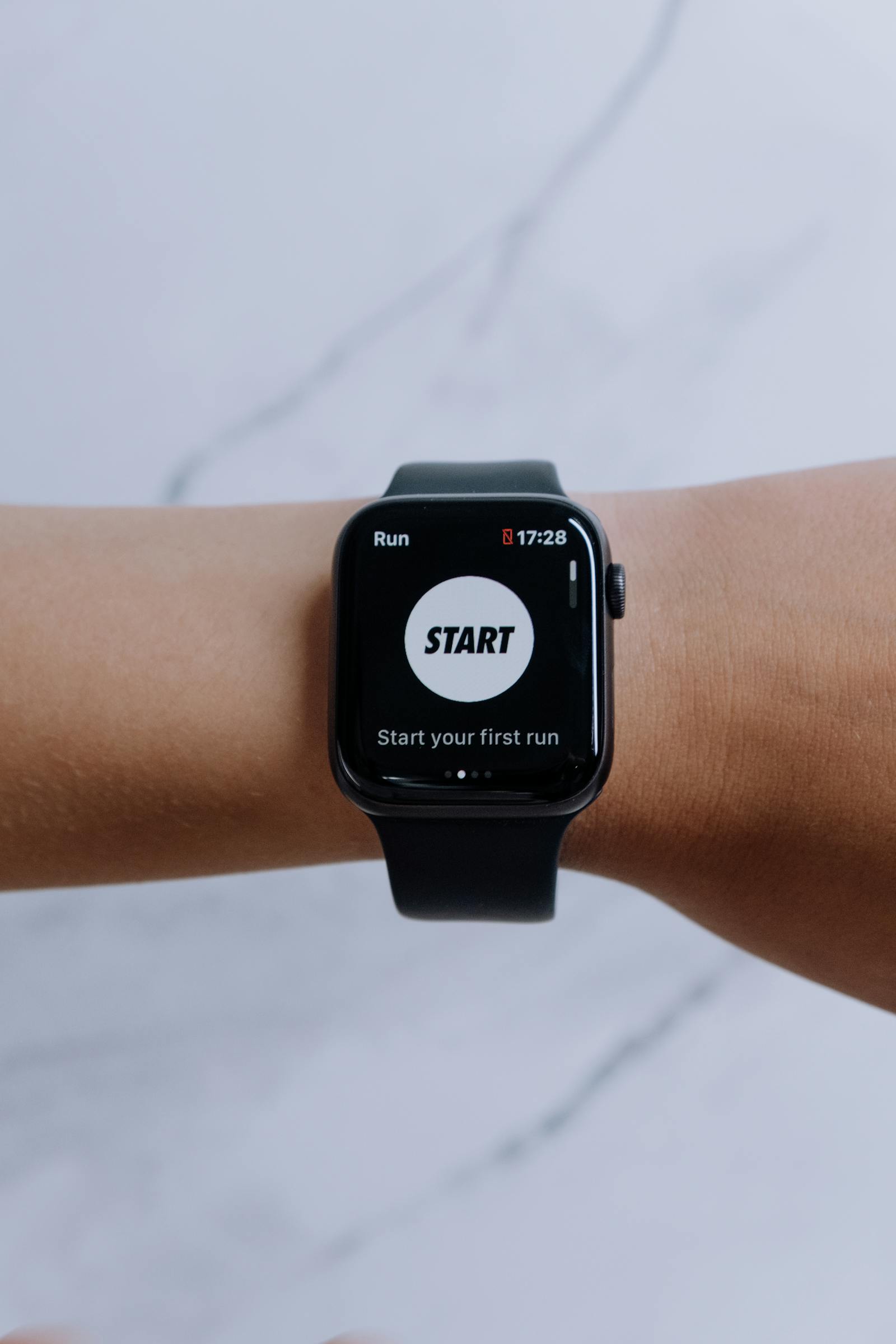
They started as geeky novelties, but smartwatches have grown into one of the most popular gadget categories on the planet. If you have ever wondered, “what is a smartwatch, really — and should you buy one?” you are asking exactly the right questions. In this guide, we explain what a smartwatch actually does, how it differs from a fitness tracker, who gets the most value from one, and how to choose the right model in 2026 without overpaying for features you will never use.
What Is a Smartwatch, Exactly?
At its simplest, a smartwatch is a wristwatch with a computer inside. Instead of just telling the time, it runs apps, connects to your phone (and often directly to cellular networks and Wi-Fi), and uses an array of sensors to track your body and your surroundings. The touchscreen is the main interface, supplemented by buttons, a rotating crown or bezel on some models, and increasingly by voice assistants.
Under the hood, a modern smartwatch contains a processor, memory, and storage comparable to a smartphone from several years ago, plus sensors a phone does not have: an optical heart-rate sensor, blood-oxygen sensor, accelerometer, gyroscope, barometer, compass, and sometimes an ECG electrode and skin-temperature sensor. It is this sensor array — pressed against your skin all day — that makes a smartwatch fundamentally different from a shrunken phone. It does not just compute; it measures you.
Most smartwatches pair with a companion app on your phone, which handles setup, deeper settings, and long-term health data. Higher-end models add standalone superpowers: LTE connectivity for calls and streaming without your phone nearby, onboard GPS for accurate run tracking, and enough storage for offline music. The category has matured to the point where the question is no longer whether smartwatches work, but which one fits your life.
What Can a Smartwatch Actually Do?
The everyday magic of a smartwatch is glanceability. Notifications — texts, calls, calendar alerts, delivery updates — appear on your wrist, letting you triage without fishing out your phone. You can answer calls from the watch, dictate quick replies, control music and podcasts, check the weather, navigate turn-by-turn with wrist vibrations, and pay at registers with NFC. These micro-interactions save surprising amounts of time and attention across a day.
Beyond notifications, the app ecosystem has grown genuinely useful. You get timers and alarms that tap your wrist silently (a revelation for shared bedrooms), voice assistants for hands-free queries, smart-home controls, boarding passes and tickets, two-factor authentication prompts, and find-my-phone features. Runners and cyclists get structured workouts with real-time pace, heart-rate zones, and route mapping. None of these is revolutionary alone; together, they make the watch feel indispensable within a couple of weeks.
Safety features deserve special mention. Fall detection can call emergency services if you take a hard fall and do not respond; crash detection does the same for car accidents; irregular-heart-rhythm and high/low heart-rate notifications have genuinely alerted people to medical issues. These are not marketing fluff — emergency services credit wearables with real rescues. If you live alone, work in a risky job, or have a health condition, these features alone can justify the purchase.
Health and Fitness Tracking: The Killer Feature
If notifications are the everyday convenience, health tracking is the reason most people keep wearing their smartwatch long-term. Continuous heart-rate monitoring, sleep tracking (duration, stages, and consistency), step and activity counting, workout detection, blood-oxygen readings during sleep, and on premium models ECG readings and sleep-apnea detection — the data paints a picture of your health no annual checkup can match.
The real value is trends, not single readings. Your watch learns your resting heart rate, heart-rate variability, sleep patterns, and activity baselines, then flags meaningful deviations. Training readiness scores tell athletes when to push and when to rest; sleep debt tracking reveals the cost of late nights; cardio fitness estimates track your conditioning over months. None of this replaces medical advice, but it makes you an informed participant in your own health — and gives your doctor better data when it matters.
A note on accuracy: wrist-based sensors are excellent for trends and quite good for absolute values during rest, but less precise during intense exercise than chest straps. If you are a serious athlete, consider the watch’s ability to pair with external sensors. For everyone else, the convenience of 24/7 passive tracking far outweighs the small accuracy gap.

Smartwatch vs. Fitness Tracker: What’s the Difference?
Fitness trackers (bands) and smartwatches overlap heavily, but the distinction still matters. Fitness bands are smaller, lighter, cheaper, and last a week or more on a charge; they excel at passive health tracking with minimal fuss. Smartwatches add a larger interactive display, a real app ecosystem, richer notifications with replies, voice assistants, and often LTE and onboard music.
Choose a fitness band if your priorities are sleep and activity tracking, maximum battery life, minimal bulk, and minimal cost — and you are happy doing the “smart” stuff on your phone. Choose a smartwatch if you want an interactive wrist computer: answering messages, taking calls, using apps, controlling smart home gear, and leaving your phone behind on runs. Many people start with a band and graduate to a watch once they know which features they actually use.
The Main Smartwatch Platforms in 2026
The market has consolidated around a few ecosystems, and your phone largely dictates your best choice. Apple Watch remains the gold standard for iPhone users, with unmatched integration, the most polished apps, and leading health sensors — but it only works with iPhones. Wear OS watches (Samsung Galaxy Watch, Google Pixel Watch, and others) are the pick for Android users, offering Google services, good health tracking, and broad compatibility.
Garmin dominates serious sports and outdoor use, with extraordinary battery life (often a week or more), best-in-class GPS and training metrics, and rugged builds — at the cost of a less slick smart experience. Amazfit, Huawei, and Fitbit cover the value end: impressive health tracking and multi-day battery at a fraction of flagship prices, with some compromises in app selection and ecosystem polish. Match the watch to your phone first, your sport second, and your budget third.
Battery Life: The Honest Truth
Battery life is the most divisive smartwatch topic. Flagship Apple and Wear OS watches typically last one to two days, which means charging becomes part of your daily routine — usually while you shower or work at your desk. Many buyers find this annoying for the first week and then stop noticing. But if the idea of nightly charging fills you with dread, you have options.
Garmin, Amazfit, Huawei, and Fitbit models routinely deliver five to fourteen days, achieved through more efficient displays and leaner software. The tradeoff is real: longer battery usually means fewer cutting-edge smart features and a less vibrant screen. Decide honestly how much you value “forget about charging for a week” versus “the most capable wrist computer.” There is no wrong answer — only the wrong watch for your temperament.
Charging itself has improved: most watches now fast-charge to 80 percent in under an hour, and magnetic puck chargers are simple to use. A practical tip — charge while you are stationary (desk work, TV time) rather than overnight if you want sleep tracking, since the watch needs to be on your wrist to record the night.
Should You Buy One? Who Benefits Most
So, should you buy one? You will get the most value if you are into fitness or health tracking, if you are drowning in phone notifications and want calmer triage, if you take calls or listen to audio on the move, or if safety features matter for your lifestyle. Athletes, busy professionals, parents of young kids (silent alarms, quick replies), and older adults living independently are the classic happy owners.
You can probably skip it if you hate wearing watches, if you are deeply price-sensitive (a good watch plus potential LTE plan adds up), if you are an iPhone user eyeing a non-Apple watch or vice versa (cross-platform compromises are real), or if you simply do not want another screen competing for your attention. A smartwatch should reduce phone time, not add wrist time — if you suspect it will become a distraction engine, trust that instinct.
The middle path is worth considering: a capable budget smartwatch or premium fitness band delivers 80 percent of the experience for a fraction of the flagship price. Wear it for three months; if you love it, you will know exactly which premium features to pay for next time. If you want a quick distraction-free benchmark of your own habits first, the free utilities at the TechInsures Tools hub are a good place to start.
How to Choose the Right Smartwatch
Start with compatibility: iPhone means Apple Watch (full stop, for the best experience); Android means Wear OS or Garmin. Next, size it to your wrist — most models come in two case sizes, and a watch that overwhelms a small wrist will not get worn. Then prioritize: best health sensors, best battery, best apps, or best price — you can optimize for two, rarely all four.
Do not overpay for cellular (LTE) unless you specifically want phone-free runs or commutes; it adds upfront cost and a monthly plan fee. Do pay attention to water resistance ratings if you swim, and to band compatibility — standard quick-release lugs give you a universe of cheap, stylish bands, while proprietary connectors lock you into first-party pricing. Finally, buy from a retailer with a good return policy and actually wear it for two weeks; comfort and daily friction only reveal themselves with real use.
Conclusion
What is a smartwatch? It is a health-tracking, notification-triaging, safety-netting computer for your wrist — and in 2026, it is a mature, genuinely useful product category rather than a tech curiosity. Whether you should buy one comes down to fit: athletes, notification-drowners, and safety-conscious buyers tend to love theirs, while watch-haters and the resolutely low-tech can happily sit out. Match the platform to your phone, be honest about battery tolerance, and do not pay for features you will not use. Chosen well, a smartwatch quietly disappears into your routine — which is exactly what great technology is supposed to do.
Frequently Asked Questions
Can a smartwatch work without a phone nearby?
LTE models can make calls, stream music, and use data independently, but most people use their watch paired to their phone via Bluetooth. Initial setup always requires a phone, and non-LTE watches lose calling and data when out of Bluetooth range.
Are smartwatches accurate for heart rate and sleep?
Very good for resting heart rate, heart-rate trends, and sleep duration/consistency. During vigorous exercise, wrist sensors are less precise than chest straps. Treat the data as excellent for trends and lifestyle guidance, not as medical-grade measurement.
Do I need a data plan for my smartwatch?
Only if you buy the cellular (LTE) version and want standalone connectivity. Bluetooth/Wi-Fi models need no plan at all — they share your phone’s connection. LTE plans typically cost around $10 per month through your carrier.
How long do smartwatches last before needing replacement?
Expect three to five years of good service. Batteries degrade slowly, and software support eventually ends. Buy a current-generation model to maximize the support window, and budget for a battery replacement or upgrade around year three or four with heavy use.